Security tooling has moved fast. Cloud-native environments, encrypted traffic by default, and AI-driven detection now dominate most security stacks. In that context, traditional network forensics tools can look outdated at first glance.


NetworkMiner happens to be one of them. It doesn’t claim to be next-generation or attempt to replace modern SOC platforms, but it does offer is focused, reliable network artifact extraction, and that remains useful even today. Less so as a primary detection tool, and more as part of a serious incident response toolkit.
TL;DR
NetworkMiner on Linux remains a vital tool for modern incident response, offering precise packet analysis and artifact extraction when endpoint data or automated detection fail. Running via Mono, it excels in forensic investigations, malware analysis, and training, especially in hybrid or legacy environments, proving that traditional network forensics still holds strong.
Table of Contents
Why network traffic (still) matters
Even with strong endpoint and cloud visibility, network traffic remains one of the most reliable sources of truth during an investigation. PCAPs are often the last line of evidence when:
-
Endpoint telemetry is missing or incomplete
-
Detection tooling is bypassed or misconfigured
-
Analysts need to reconstruct attacker behavior
-
Training environments require visibility into real attack mechanics
NetworkMiner helps turn raw packet data into usable artifacts, including files, credentials, sessions, and host information. When other signals fall short, that visibility matters.
Where NetworkMiner brings real value
Incident response and forensics
In incident response scenarios, NetworkMiner is commonly used to reconstruct file transfers, surface credentials exposed over legacy protocols, and map communication patterns between systems.
Its passive approach makes it well-suited to forensic workflows, where preserving original evidence is critical.
Malware and payload analysis
NetworkMiner can extract payloads and transferred files directly from network traffic, helping analysts understand how malware was delivered or staged, even when endpoint artifacts are incomplete or unavailable.
Training and skill development
NetworkMiner remains a staple in blue team training and security labs. By showing how attacks actually look on the wire, it helps defenders build intuition that can get lost in alert-driven workflows.
Legacy and hybrid environments
Not every environment is cloud-native or fully encrypted. In hybrid and legacy setups, NetworkMiner remains an effective way to analyze traffic that modern tools often abstract away.
Using NetworkMiner on Linux in practice
NetworkMiner isn’t built natively for Linux, but it runs reliably using Mono. That makes it a practical option for forensic workstations, labs, and controlled analysis environments.
The section below outlines the process for installing and running NetworkMiner on Linux systems.
Getting Started with NetworkMiner on Linux
1. Install Mono
First, you need to install Mono, which is required to run NetworkMiner. The installation commands depend on your Linux distribution.
For Ubuntu/Debian:

2. Download NetworkMiner
To download the NetworkMiner ZIP file, run:

Note: You might need to manually locate the correct download link on the NetworkMiner website if the above URL changes.
3. Extract the ZIP file
Once the download is complete, extract the ZIP file using the following command:

This will create a directory named NetworkMiner containing the extracted files.
4. Run NetworkMiner
Navigate to the extracted NetworkMiner directory and run it using Mono:


Using sudo allows NetworkMiner to capture live network traffic.
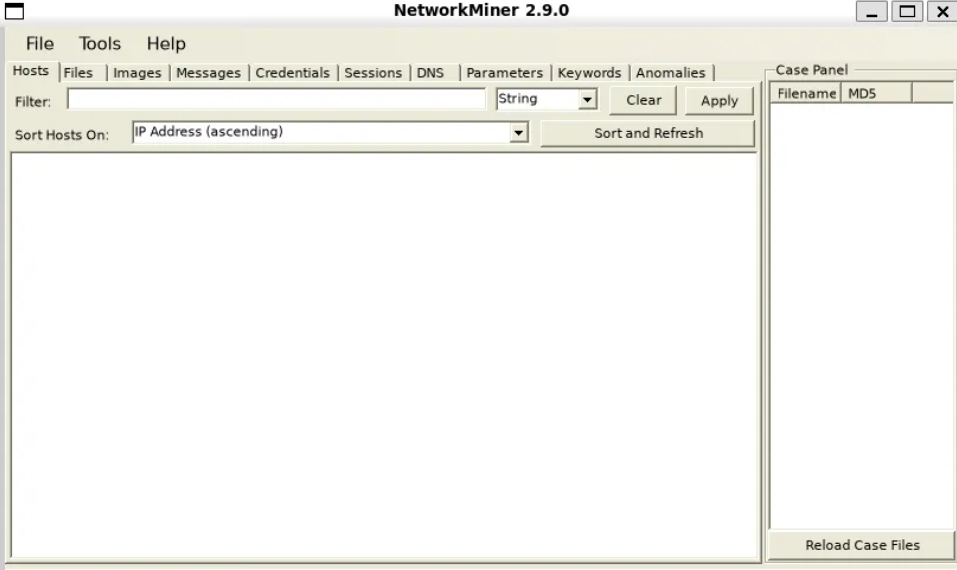
Additional notes:
-
Network Permissions: Ensure you have the necessary permissions to capture packets on your network interface by using sudo.
-
Exit the Application: You can close NetworkMiner by closing the application window or using Ctrl+C in the terminal.
Analyzing PCAP Files: To analyze a PCAP file, run:

This command loads the specified PCAP file for analysis.
Trade-offs to keep in mind
NetworkMiner isn’t designed for high-volume cloud environments or deep inspection of encrypted traffic. Its reliance on Mono and limited visibility into modern encrypted protocols are known constraints.
That’s fine. NetworkMiner works best when used deliberately, for specific investigative tasks, rather than as a general-purpose detection platform.
Where NetworkMiner fits in today
In modern security programs, NetworkMiner typically shows up as:
-
A supporting tool in DFIR workflows
-
A PCAP-focused forensic utility
-
A training aid for network-centric defensive skills
Its strength is clarity, not automation.
Final thoughts on NetworkMiner on Linux
NetworkMiner’s relevance in 2026 isn’t about keeping up with trends. It’s about solving a problem that hasn’t gone away: understanding what actually happened on the network when something goes wrong.
Used in the right context, NetworkMiner on Linux still earns its place in modern incident response.